CHANGING PERSPECTIVES:
Inspiring empathy for disability in K-8th graders
Objective:
Changing Perspectives is a small non-profit organization which was started to provide schools with a framework for improving disability awareness and is based on an understanding of the natural curiosity of children. The ultimate goal is to help everyone recognize their own challenges and to help promote understanding, respect, and acceptance of all people.
Team Members:
Melissa Rivella ⋅ Anna Miller ⋅ Danielle Midulla ⋅ Van Chen ⋅ Ödön Örzsik
My Role:
Experience Design ⋅ Interface Design ⋅ Ideation ⋅ Team Facilitation ⋅ Documentation
Duration:
10 Weeks (Sept – Nov 2016)
Research:
In preparation for our undertaking, we spoke with Alicia Brandon, Assistant Director, Student Accessibility Services at Dartmouth College. She helped us understand the challenges that students with disabilities face on a daily basis as they try to academically and socially compete with their peers. She suggested that people with disabilities adapt to work around their shortcomings and don’t find them as starkly obvious as someone who would experience them for the first time. Yet, to capture the essence of what they go through in such a way as to make maximum impact, a little dramatization or exaggeration would probably be a good idea while designing the empathy-generation activities.
We also consulted often with Sam Drazin, the founder of Changing Perspectives and himself an educator who has struggled his whole life with a hearing loss. He helped us get an insight to best serve our user demographic of K-8 students.
Problem Space:
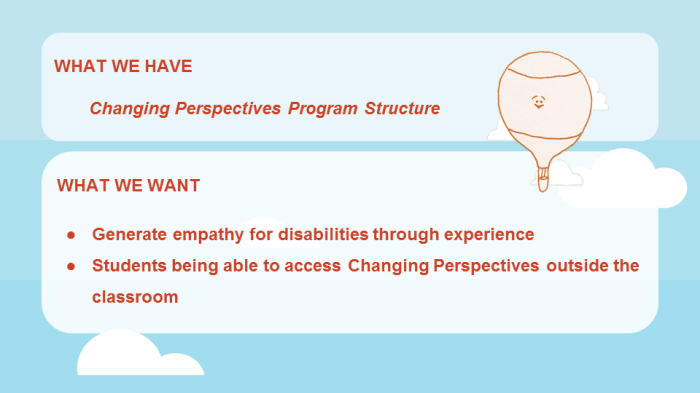
We needed to create a suite of interactive tools which would allow K-8 students to experience what it might be like to have a disability. The online student portal would provide opportunities for students to see the world through the eyes of someone with a disability.
A combination of simulations and role-playing activities would help the students to understand the challenges of having a disability. The end goal was to have the students reflect on how they can be inclusive of all people.
Solution Space:

Going in, we had a lot of things to be considered:
- What will the empathy generation activities be like in the scope of the digital platform? – We can’t ask students to put a blindfold on in an unsupervised environment.
- How do we capture the attention of K-8 students in a way that would make them respond the most? – We do not want to be patronizing, and also not emotionally scarring for the younger children.
- Will the activities differ a lot depending on the different age ranges? – Will it depend on the activity?
- Will the page styling differ depending on the different age ranges? – Sensibilities of kindergartners are far removed from those of middle-schoolers.
- Should it be Game-Like? Or Lesson-Like?
The Design:
Interface:
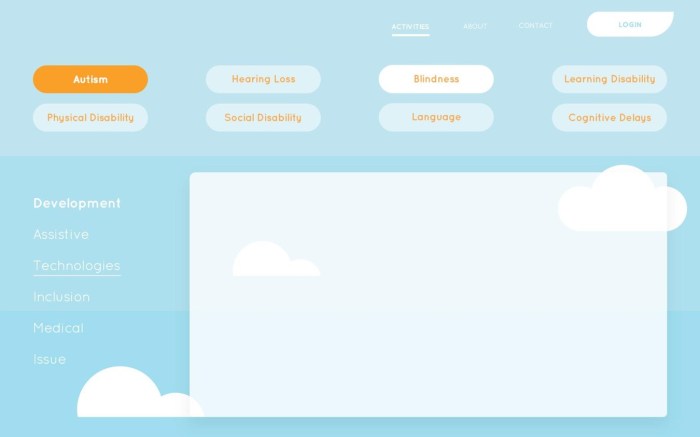
We decided to divide the disabilities according to the 8 Categories of Disabilities Classification Model. Within each disability category, we would have a list of activities associated with that disability on the left navigation toolbar. The central window would host the activities themselves.
Activities:
Our most important focus through the project was to create an empathy inspiring experience. We spent a lot of time figuring out the activities.
Our main takeaways from all the brainstorming sessions were:
- We would focus on creating at least 5 activities spread over different disability categories.
- We would attempt to be more game-like and less lecturing.
- We would follow the learn-experience-reflect architecture of the program and the activities would attempt to fill up the “experience” part of it.
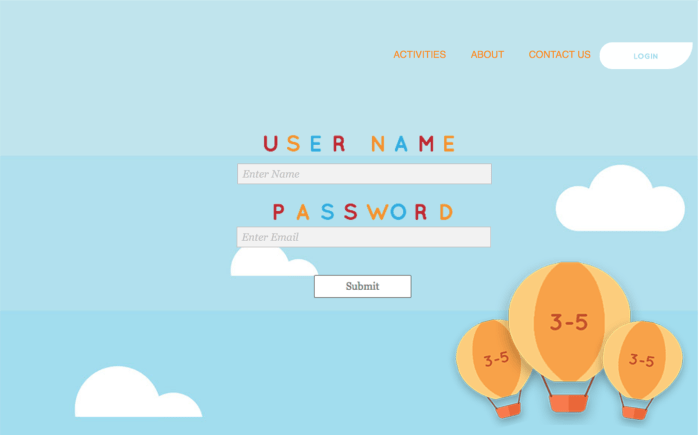
- We would break up the students into groups of k-2, 3-5 and 6-8, to better cater to the age groups.
- We would design the activities for k-2 students and increase their realism, difficulty, and impressiveness for each age category.
- We would present the activities in an “in contrast with” format where it would start of being what they would usually experience themselves and then they would be exposed to that same situation with the disability.
The Activities:

Social-Behavioral Disability: Close Encounters of the Third Kind
In this activity, the user would be shown to be transported to an alien planet where he will be approached by a group of animated “child-friendly” alien beings who attempt to have a conversation with the user.
- The user can interact with the aliens by clicking various buttons on the screen which would be symbols such as “star”, “heart”, etc. or words like “friend”, “donut”, etc. and emoticons.
- The aliens would respond erratically and after a certain level of frustration would walk away from the user no longer wishing to be friends.
- The purpose of this exercise is to demonstrate to the user that people with social-behavioral disabilities might find it hard to communicate with their peers, especially where nuances are concerned.
- The user is able to put themselves in the place of the person with the disability and the alien beings are their peers who they are unable to relate to.
Hearing Impairment: Voice gets distorted with time!
In this activity, the contrast between disability and lack of it is blurred because the voice/audio starts off as clear and easy to hear and gets progressively worse and you progress.
To implement this activity we would need:
- A few samples of prepared audio files with progressive distortion in speech quality.
- A story/topic and content that will be made an audio out of that should be appropriately different for different age groups.
In this activity we could implement any of the following:
- Playing a prepared audio file and interrupting it a few times to ask
- “Can you understand what is being said?”
- Ask them to rate how much they understood in the previous section on a scale of 5
- Ask them specific questions about the topic or what was said
Fine Motor Skills: Shaky Mouse/Bubble Popping
In this activity, we will start off with a basic task of clicking on randomly generated circles/triangles/graphic (we could make them realistic bubbles if time remains, thereby making it a bubble popping activity).
As the activity progresses the motion of the mouse becomes shakier. We could do this in one of two ways:
- By trying to trigger a shaky mouse/input device calibration and reset it to normal once the activity is completed.
- By having the generated graphics move/be shaky to simulate a shaky input device instead. – we could start off by having the bubbles zoom around with increased speed.
Learning Disability: Dyslexia
In this activity we could do one of two things:
- Have multiple images of the same text but with some letters, etc getting progressively flipped and calling these images after a certain period of time.
- Have a video/animation of the letters getting flipped, etc. on some text (with nice graphics as if it was on the pages of an ancient book) and then!- just embed that video/animation.
In this activity, the user will have a two-part experience- one without the disability and one with.
In the first case, the user will be asked to find the spectacles on an image of a messy desk by clicking on it.
In the second case, a blurry version of a similar image will be shown and the user will have to identify the specs again.
Future Work:
